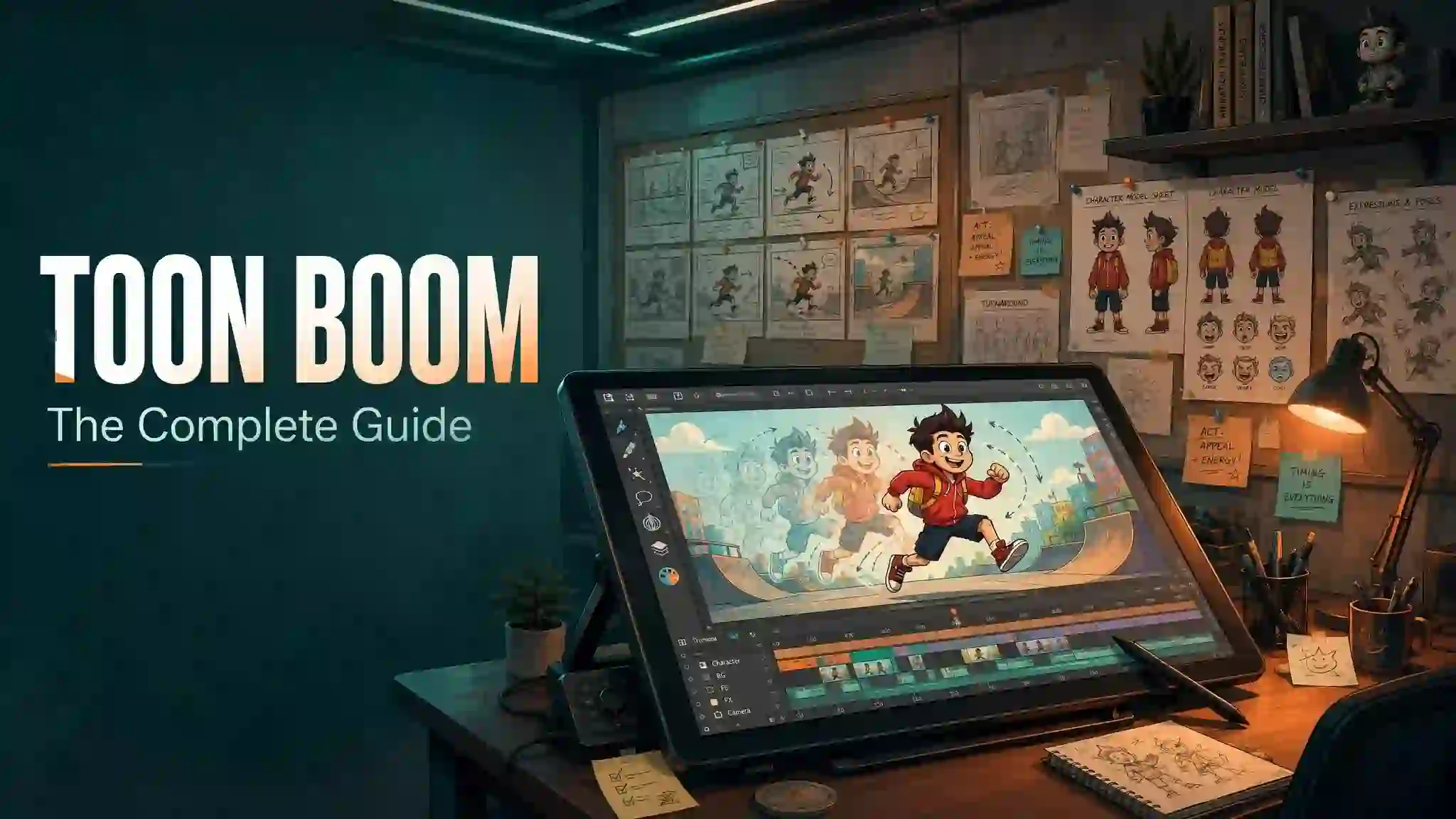
You want to start animating, but every tutorial points you toward a different tool. You pick one, learn it for months, then find out studios hire for something else. That gap wastes your time and money. Toon Boom solves it. This guide breaks down what Toon Boom is, what it costs, and whether it fits your goals, so you choose with confidence today.
What Is Toon Boom?
Toon Boom is a Canadian company that builds professional 2D animation software. Studios use its two flagship tools, Harmony and Storyboard Pro, to plan, draw, animate, and finish TV series, feature films, ads, and game cutscenes.
When people say “Toon Boom,” they usually mean Toon Boom Harmony, the drawing and animation product. The company behind it carries the same name: Toon Boom Animation Inc. Both matter, and this guide covers each one.
Here is the short answer for anyone in a hurry:
- Toon Boom Harmony handles animation, rigging, ink and paint, and compositing.
- Toon Boom Storyboard Pro handles storyboards and animatics.
- Major shows, from The Simpsons to Rick and Morty, run on this software.
- It costs between $29 and $130 per month, depending on the edition.
- A free trial and official training portal make it safe to test first.
Who Owns Toon Boom? A Quick Company History
Toon Boom Animation Inc. started in Montreal, Quebec, in 1994. Montreal grew into a world hub for animation and games, and the company grew with it.
The early products focused on digital ink and paint. Old titles like Toon Boom Studio and Toon Boom Animate taught a full generation of artists the basics of computer-assisted 2D work. Harmony later replaced those products and became the studio standard.
Corus Entertainment, a large Canadian media company, bought Toon Boom in 2012. That backing funded steady development and worldwide support. Today the software ships to studios and schools in more than 130 countries, and the company has earned Primetime Engineering Emmy Awards for its technology, in 2005 and 2012.
A company owned by a broadcaster has one big advantage. It builds tools for the exact productions its parent group airs every day.
What Products Does Toon Boom Make?
The Toon Boom product line covers the full 2D pipeline, from the first rough sketch to the final rendered frame.
Toon Boom Harmony
Harmony is the flagship. It handles drawing, traditional frame-by-frame animation, cut-out rigging, ink and paint, effects, and compositing in one file. Studios buy it in three editions: Essentials, Advanced, and Premium.
Toon Boom Storyboard Pro
Storyboard Pro combines drawing, camera moves, timing, sound, and editing. Directors build complete animatics without leaving the app. Most professional boards for TV animation start here.
Toon Boom Producer
Producer manages teams. Supervisors assign scenes, track progress, and review work from one web dashboard. Larger studios pair it with Harmony Server so dozens of artists share one project safely.
Harmony Server
This add-on lets teams work on the same Harmony project at the same time, online or offline. It keeps versions clean when a hundred people touch one episode.
What Is Toon Boom Harmony?
Toon Boom Harmony is a complete 2D animation workstation. You draw characters, animate them by hand or with rigs, paint every frame, add camera moves, and composite effects, all inside one scene file.
The software supports two production styles:
- Traditional paperless animation: you draw every frame on a tablet, exactly as classic animators worked on paper.
- Cut-out animation: you rig a character once, then pose it with bones, deformers, and master controllers, like a digital puppet.
Most TV series mix both styles. A show might rig its main cast for speed, then hand-draw action shots that need more life. Harmony handles that mix in a single timeline, which is why it dominates broadcast production.
The latest release is Harmony 25, announced in mid-2025, followed by the 25.1 update. It adds a Breakdown Pose Assistant for finer rig control, Photoshop brush import, a Pencil Line Retouch tool, smaller project files, and support for the Universal Scene Description (USD) standard used in modern pipelines.
What Is Toon Boom Storyboard Pro?
Toon Boom Storyboard Pro is the industry tool for storyboarding and animatics. Story artists draw panels, set shot timing, record scratch dialogue, and cut the sequence together like a rough edit.
The payoff shows up in pre-production. A director can watch the whole episode before a single frame of animation exists. Teams catch pacing problems early, when fixes cost minutes instead of weeks.
Storyboard Pro also speaks directly to Harmony. A finished board moves into the animation stage with camera data and timing intact. That clean handoff saves studios real money, and it explains why most professional 2D pipelines run both products side by side.
Key Features of Toon Boom Harmony
Harmony packs a deep toolset. These features matter most in daily production:
- Vector and bitmap drawing: draw in scalable vectors for crisp cleanup, or paint on bitmap layers for a textured, hand-made look.
- Advanced rigging: bones, curve deformers, envelope deformers, and master controllers build characters that pose fast and stay on model.
- Node-based compositing: the Node View connects effects, blurs, glows, and color corrections in a visual flowchart with full control.
- Traditional tools done right: onion skinning, exposure sheets (the Xsheet), pencil tests, and rotation drawings mirror paper workflows.
- Camera work: multiplane camera moves, 3D space for 2D layers, and stereographic options add real depth to shots.
- 3D integration: import 3D models, light them, and blend them into 2D scenes for props, vehicles, and backgrounds.
- Particle and special effects: rain, fire, smoke, and magic spells render inside Harmony Premium without extra software.
- Team features: palette locking, shared templates, scene versions, and server collaboration keep big crews consistent.
- Pipeline standards: PSD import, AAF/EDL/Excel export, scripting, and USD support plug Harmony into any studio workflow.
Two Harmony 25 additions deserve a closer look. The Breakdown Pose Assistant lets you favor one key pose over another with a few clicks, so rigged motion loses its stiff, mechanical feel. Photoshop brush import means your cleanup artists can draw with the exact brushes the visual development team used. Small changes, big daily wins.
How Much Does Toon Boom Cost?
Toon Boom sells Harmony as a subscription in three editions. Prices sit in these ranges, based on the official store as of 2026:
| Edition | Monthly Price (approx.) | Best For | Camera Resolution | Animation Styles |
|---|---|---|---|---|
| Harmony Essentials | $29/month | Students, hobbyists, web content | Up to 2K | Basic cut-out and paperless |
| Harmony Advanced | $71/month | Freelancers and small studios | Up to 4K | Full paperless, scan and paint, basic bitmap |
| Harmony Premium | $130/month | Professional studios, features, games | Up to 8K+ | Everything: advanced rigs, effects, 3D, particles |
Annual plans cut the monthly cost noticeably. Storyboard Pro sells as a separate subscription, and Harmony Server and Producer carry studio-level pricing on request.
A few money-saving notes:
- Students and teachers get real discounts through the education store.
- Annual billing beats monthly billing by a wide margin.
- Start with Essentials, learn the core tools, then upgrade. Projects made in Essentials open fine in higher editions.
- Check the official store before you buy, because prices change by region and promotion.
Does Toon Boom Have a Free Trial or Free Version?
Toon Boom offers a free trial for both Harmony and Storyboard Pro. The trial runs the full toolset for a limited period with restrictions on final output, which is enough time to test the entire workflow on a real project.
There is no permanent free tier. If your budget is zero, free alternatives like OpenToonz, Krita, or Blender’s Grease Pencil handle basic 2D work. They serve learning well, but none match Harmony’s rigging depth, node compositing, or team features.
The smartest free route looks like this: activate the trial, follow the official courses on the Toon Boom Learn portal, and finish one short scene before the trial ends. That single exercise tells you more than any review, this one included.
Toon Boom vs. Other Animation Software
How does Toon Boom compare to the tools you hear about most?
| Software | Strength | Weakness | Best Suited For |
|---|---|---|---|
| Toon Boom Harmony | Full studio pipeline: rigging, ink and paint, compositing | Steep learning curve, subscription cost | TV series, features, professional cut-out work |
| Adobe Animate | Simple vector animation, web banners | Thin rigging and paint tools, weak for film pipelines | Interactive web content, simple motion graphics |
| Blender Grease Pencil | Free, 3D and 2D in one space | 2D toolset still maturing for studio pipelines | Indie films, 3D artists adding 2D elements |
| TVPaint | Beautiful hand-drawn raster feel | No cut-out rigging, high one-time price | Traditional animators, short films |
| OpenToonz | Free, powers some famous studios | Dated interface, minimal team features | Students, labs, budget productions |
The pattern stays consistent. Toon Boom wins wherever a production needs a big crew, repeatable rigs, and broadcast deadlines. Frame-by-frame purists sometimes prefer TVPaint’s brush feel. Indies on zero budget start with free tools, then move to Harmony when paid work arrives.
Which Studios and Shows Use Toon Boom?
This is where E-E-A-T gets practical. You judge software by its output, and Toon Boom’s output fills your screen.
Series produced with Harmony include The Simpsons, Family Guy, Bob’s Burgers, Rick and Morty, Big Mouth, Disenchantment, Hilda, and The Loud House. The Oscar-winning Netflix feature Klaus came out of a Harmony pipeline at The SPA Studios in Madrid.
The studio list reads like an industry directory. Mercury Filmworks, Bardel Entertainment, Titmouse, and Bento Box Entertainment all build productions on Toon Boom pipelines. Networks and streamers including Netflix, Disney, Nickelodeon, Warner Bros. Animation, and Cartoon Network air the results.
One detail matters more than any name. When a studio with 300 artists trusts one platform for every episode, that platform has survived the harshest testing environment in animation: a weekly deadline.
How Hard Is Toon Boom to Learn?
Honest answer: Harmony feels dense in week one and logical by week four. The interface serves production, so it exposes more controls than a beginner needs. That intimidates people on day one.
Three things speed up the climb:
- Follow the official Toon Boom Learn courses first. They are free, project-based, and built by the people who make the software.
- Learn one style at a time. Master drawing and simple frame-by-frame animation before you touch rigging or the Node View.
- Copy a shot you love. Recreating ten seconds of a professional scene teaches timing, spacing, and cleanup faster than any abstract exercise.
Artists who already know Adobe Animate or hand-drawn basics usually feel productive within a month. True beginners should plan on three to six months of steady practice before client-ready work. Storyboard Pro runs easier: most artists feel comfortable in two to four weeks because the timeline behaves like a video editor.
Certification helps too. The official Toon Boom certification program lets you prove your skills with a recognized credential that studios actually check.
Is Toon Boom Worth Learning for a Career?
Job listings answer this better than opinions. Search animator roles at major 2D studios and one requirement repeats constantly: Harmony experience. Storyboard roles say the same about Storyboard Pro.
Career paths that reward Toon Boom skills:
- 2D animator and revisionist
- Builds and rig artist (character, prop, background)
- Storyboard artist and revisionist
- Clean-up and ink-and-paint artist
- Compositor and FX artist
- Animation director and technical director, with experience
Freelance rates for skilled Harmony riggers and animators stay strong because studios constantly hunt for them. A focused demo reel with two or three polished Harmony scenes opens more doors than a certificate alone, so build scenes, not just tool knowledge.
What Are the System Requirements for Toon Boom?
Harmony runs on Windows and macOS. For smooth work in Harmony 25, plan for this baseline:
- Operating system: 64-bit Windows 10 or 11, or a recent macOS version on Apple silicon or Intel.
- RAM: 8 GB minimum; 16 GB or more for large scenes and Premium effects.
- Processor: a modern multi-core CPU; rendering loves more cores.
- Graphics: a dedicated GPU with current drivers for fast playback and effects.
- Input: a pen display or pen tablet. Animating with a mouse fights you at every step.
- Storage: an SSD for projects; animation scenes swap huge amounts of data.
Laptops handle Harmony fine for learning and small scenes. Studio-scale 4K compositing wants a workstation. Test the trial on your own machine before you spend anything.
Pros and Cons of Toon Boom
Every tool has trade-offs. Here is the honest balance sheet.
Pros
- Industry standard status: Harmony skills transfer directly into studio jobs.
- One app covers drawing, rigging, animation, paint, and compositing.
- Cut-out rigging with deformers and master controllers leads the market.
- Node-based effects give film-grade control without leaving the scene.
- Harmony and Storyboard Pro exchange projects cleanly across the pipeline.
- Official training, documentation, and certification support real learning.
- Three editions let you pay only for the features you use.
Cons
- The subscription stings hobbyists, especially Premium.
- The interface demands real study time before it feels fast.
- Premium features like advanced particles tempt beginners to skip fundamentals.
- Storyboard work needs a second purchase, not a bundle by default.
Frequently Asked Questions
What is Toon Boom used for?
Toon Boom is used to create professional 2D animation for TV series, feature films, ads, and games. Harmony handles drawing, rigging, animation, and compositing. Storyboard Pro handles storyboards and animatics.
Is Toon Boom free?
No, Toon Boom is paid software. Harmony costs roughly $29 to $130 per month depending on the edition. A free trial and student discounts make testing and learning affordable.
Is Toon Boom better than Adobe Animate?
For professional film and TV pipelines, yes. Harmony offers deeper rigging, node-based compositing, and team tools. Adobe Animate suits simple web content and motion graphics better.
What shows are made with Toon Boom?
The Simpsons, Family Guy, Rick and Morty, Bob’s Burgers, Hilda, and many more use Toon Boom software. The Oscar-winning film Klaus was produced with it as well.
Is Toon Boom hard to learn?
Toon Boom has a learning curve of one to six months depending on your background. Free official courses on the Toon Boom Learn portal shorten the process. Storyboard Pro is the easier starting point.
Do professionals use Toon Boom?
Yes, professionals rely on Toon Boom worldwide. Studios like Mercury Filmworks, Bardel, and Titmouse run their productions on it, and studios worldwide list Harmony skills in job postings.
Final Verdict: Should You Choose Toon Boom?
If your goal is professional 2D animation, the answer is clear. Toon Boom sits inside the shows you watch, the studios you want to join, and the job posts you read. No other 2D tool matches its mix of drawing, rigging, and compositing at broadcast scale.
Start today, not someday. Download the free trial, pick one official course, and animate a five-second scene this week. Small finished scenes build skill, reels, and careers. Your first frame is one click away.