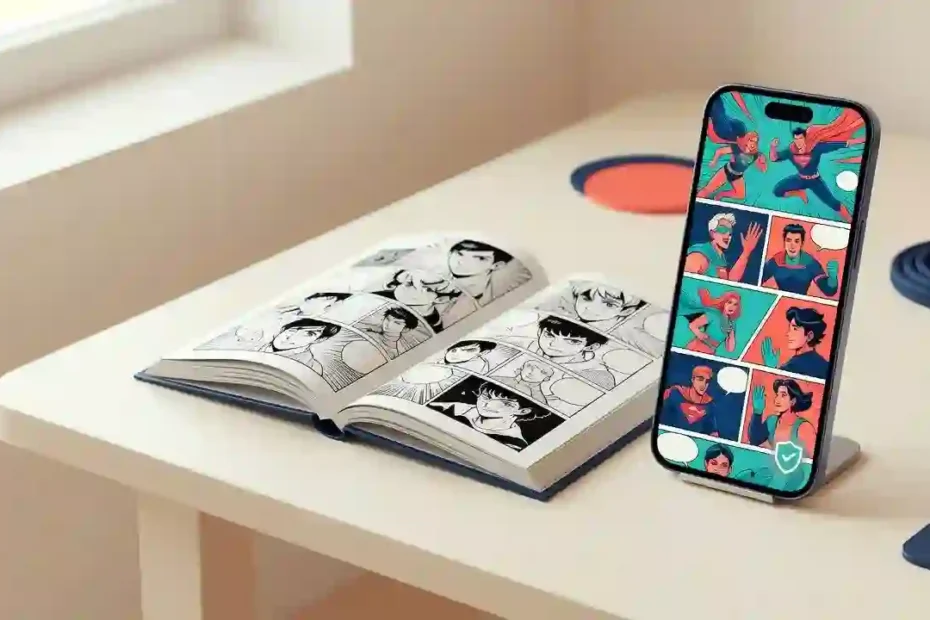
Trying to find a comic online should be simple, but similar names and changing domains can make a quick search confusing. A page may promise free chapters without saying who runs the site, who translated the story, or whether the publisher authorized the upload. This guide explains what readers mean when they search for Komik Tap, how manga, manhwa, and manhua differ, and how to check a reading site before sharing data or spending time there.
What Does Komik Tap Mean?
Komik Tap is a phrase people use when searching for online comics, especially translated manga, manhwa, and related titles. The phrase does not identify one verified operator by itself; check the exact domain, ownership details, content rights, and safety signals on the specific result you open.
In short, treat the name as a search query, not as proof that a website is official, licensed, or secure. Search results can include different sites, copied labels, redirects, and pages that have little information about the people behind them. A familiar logo or a high ranking in search does not answer who owns the site or who has permission to publish each series.
Before you read, ask four simple questions: Who runs this page? Who made or licensed the comic? What data does the site collect? Can you find the same title through the creator or publisher? If the answers are missing, choose a clearer source.
Manga, Manhwa, Manhua, and Webtoons: What Is the Difference?
These labels describe related comic traditions and formats, but they do not mean the same thing. Knowing the difference helps you find the language, art style, and reading layout you want.
| Term | Common association | What a reader may notice |
|---|---|---|
| Manga | Comics from Japan | Print editions often use right-to-left page order; digital editions may use different layouts or color. |
| Manhwa | Comics from Korea | Print and digital editions both exist; many digital series use a vertical-scroll format. |
| Manhua | Comics from China | Color, black-and-white, page-turn, and scroll formats all appear. |
| Webtoon | A digital-first comic format | Often designed for phone screens and vertical scrolling; creators can come from many countries. |
These are useful guides, not strict rules for every title. A series may have a print edition, a mobile edition, several translations, or a release schedule that differs by region. Check the specific title page for its creator, language, reading direction, age guidance, and available chapters.
A reader can also use genre labels to narrow a search. Action, romance, fantasy, slice of life, mystery, comedy, horror, and sports are broad starting points. A series description and content notice will tell you more than the genre label alone.
How to Check a Comic Site Before You Read
Take a minute to inspect a site before you open a chapter. The checks below work for any online comic catalog, not only a site you have used before.
- Read the full web address. Look for misspellings, extra words, odd subdomains, or redirects to a different address. A secure connection protects data in transit, but it does not prove that a site owns the comics it displays.
- Find the operator. Look for an About page, contact details, terms of use, and a privacy notice. A responsible service should tell readers who operates it and how to report a problem.
- Check the title’s source. Look for the creator, publisher, or rights holder on the series page. When possible, confirm the listing through the creator’s or publisher’s own website or verified social account.
- Check the language and release details. A title should identify its language, chapter numbering, and update schedule. Translation credits help readers understand who prepared the version they are reading.
- Test the page without giving away data. You should be able to inspect basic information without installing an unknown file, entering a payment card, or sharing unnecessary personal details.
No single check proves that a service is trustworthy. Use several signals together, and leave if the page hides basic information or pressures you to act quickly.
Is Komik Tap Safe? A Practical Checklist
There is no one safety rating for every page that appears under this name. Judge the exact website and its behavior, rather than trusting a logo, a recommendation in a comment, or the word “free.”
Stop and leave if a page:
- Opens repeated pop-ups or sends you through several unrelated redirects.
- Asks you to install an app file from a pop-up or an unfamiliar download page.
- Demands access to contacts, photos, location, or other data that a comic reader does not need.
- Requests payment details on a page with no clear operator, terms, or secure checkout.
- Uses fake system alerts, countdowns, or urgent messages to make you click.
- Asks you to turn off basic device protections to view a chapter.
Look for better signs, while remembering that none is proof on its own: a named operator, clear contact and privacy pages, transparent costs, a title-level source or licensing note, and a reader that works without surprise downloads. A padlock icon only indicates an encrypted connection; it does not confirm a publisher relationship or guarantee safe advertising.
Do not open any files you unintentionally downloaded. Delete it, run the security tools already built into your device, and change any password you entered on the page. If you shared payment details, contact your payment provider using the number or website printed on your card or statement.
Are Free Comic Chapters Legal?
Free access and authorized access are different questions. A publisher may offer selected chapters at no charge, a creator may choose a free release, or a library may provide a digital loan. A page that shows a comic without a price does not, by itself, show that the upload has permission.
The World Intellectual Property Organization explains that online creative works are generally protected by copyright and that permission is usually needed to use them unless a license or legal exception applies. This is broad information because regulations differ per nation. rather than legal advice. See WIPO’s overview of copyright in the digital world.
Comic rights can involve several people and companies: the writer, artist, publisher, translator, and distributor may each have different roles. A translation does not automatically make an unauthorized copy official, and a copyright notice copied onto a page is not proof that the site has permission. Look for a clear statement from the rights holder or a platform known to work with the title’s publisher.
When a site offers a title that is hard to find elsewhere, do not assume the first result is authorized. Search the creator’s name and the series title, check the publisher’s catalog, or ask a local librarian to help locate a legitimate edition.
Where Can You Read Comics with Clear Permissions?
Start with the source closest to the creator. A publisher’s official website or app is a strong place to check for its own series, release notices, sample chapters, and purchase options. A creator’s verified page may also link to an authorized edition or explain where the comic is available.
Licensed comic platforms collect titles from creators, publishers, or distributors under their own terms. Their catalogs, languages, free chapters, ads, episode passes, and subscription plans can differ. Confirm that the specific series appears in the platform’s own catalog; a platform’s general reputation does not settle the rights status of every upload elsewhere.
Public libraries and e-book lending services can be useful for readers who want a legal, low-cost option. Availability depends on the library’s region and collection. Bookstores and digital retailers may also sell complete volumes, special editions, or translated releases.
If you need free reading, look for official previews, promotional chapters, creator-approved releases, or library loans. Read the terms before starting a trial so you know when it renews and how to cancel it.
How to Choose a Comic Platform
Compare services on more than catalog size. A smaller library with clear rights, a readable interface, and honest pricing may serve you better than a huge collection with no visible operator.
| Check | What to look for | Why it matters |
|---|---|---|
| Rights and credits | Creator, publisher, translator, or licensing details on the series page | Helps you assess where the edition came from. |
| Catalog and language | Available titles, translation language, chapter order, and regional access | Prevents confusion when a series has several editions. |
| Release schedule | A current schedule or a clear note that a series has ended or paused | Sets realistic expectations for new chapters. |
| Reading tools | Zoom, page-turn or scroll options, brightness, and readable controls | Makes long reading sessions easier on different screens. |
| Cost | Free previews, ads, coins, purchases, subscriptions, and renewal rules | Helps prevent unexpected charges. |
| Privacy and help | A readable privacy notice, contact route, and support process | Shows how the service handles reader questions and data. |
Read the series page and the platform’s terms before creating an account. If the service sells coins or episode passes, check the price in your own currency, whether unused credits expire, and how refunds work. Avoid services that make cancellation harder to find than the sign-up button.
How to Find a Series and Follow New Chapters
Start with the exact title and the creator’s name. If the title has multiple spellings, search the original title or official romanization as well as the translated title. This helps separate a licensed edition from fan discussions, unofficial reposts, or a different series with a similar name.
Use the series page rather than a random chapter link. Confirm the chapter number and release date, then check whether the platform labels the series as ongoing, completed, paused, or temporarily unavailable. Translations may arrive later than the original release because editors and licensors work on different schedules.
A simple reading log can prevent lost progress. Save the official series page in your browser, note the last chapter you finished, and use the platform’s own bookmark feature if it offers one. Avoid downloading a separate “tracker” app from a pop-up just to remember a chapter number.
If a new chapter does not appear on the day you expect, check the official schedule first. A time-zone difference, holiday, production break, or regional release window may explain the delay.
How to Read Comfortably on a Phone, Tablet, or Desktop
Choose the layout that matches the comic. Vertical-scroll stories are often easiest to follow in portrait mode on a phone, while a page-based edition may feel clearer on a larger screen. Try the built-in zoom or panel view before pinching and dragging through every image.
Give your eyes a comfortable setup. Lower screen brightness in a dark room, increase it outdoors, and take short breaks during long sessions. If text looks blurry, check whether the reader has loaded a low-resolution preview or whether the title offers a sharper edition.
Look for accessibility tools such as adjustable contrast, panel-by-panel reading, screen-reader labels, or keyboard navigation where relevant. Not every comic image includes descriptive text, so a reader with low vision may need to check whether the service supports their preferred assistive technology before paying for a subscription.
For mobile data, use the service’s official offline feature only if it clearly explains where files are saved and how long they remain available. Do not install an unknown browser extension or app to unlock basic reading controls.
How to Protect Your Privacy While Reading
A comic catalog should not need your personal history to show a public chapter. Before making an account, ask whether you can read without registering and what information the service collects. Give only the details needed for the feature you want.
Use a unique password for each account, or a trusted password manager to create and store one. Turn on two-step verification when a legitimate service offers it. Never reuse a bank, email, or work password on an unfamiliar reading site.
Review app permissions before installation. A reading app may need network access, but a request for contacts or precise location deserves a clear explanation. Keep your browser and device updated, block unwanted notifications, and remove site permissions you no longer need.
Do not enter card details after following a chain of ads or redirects. Open the service’s known address yourself, confirm the checkout belongs to that operator, and save a receipt for a paid chapter, subscription, or book.
How to Support Comic Creators on Any Budget
Paid chapters and books help fund the people who make and translate comics, but not every reader can pay for every series. You can still choose actions that respect the creator’s work.
- Read publisher-approved free chapters, library loans, and official promotions.
- Follow creators through their verified pages and share the official series link.
- Leave thoughtful reviews on the service where the comic is published.
- Buy a volume, chapter pass, or subscription when it fits your budget.
- Avoid reposting scans or translations; share the authorized listing instead.
A small, direct action can help a series reach readers without spreading an unverified copy. When you recommend a comic to a friend, include the creator’s or publisher’s official page so the next reader can find the source too.
What Should a Transparent Comic Catalog Disclose?
Readers should not have to guess who runs a catalog or where its chapters come from. A service that wants reader trust can make its policies easy to find and keep them specific to the content it lists.
Look for a named operator, an up-to-date contact route, clear terms, a privacy notice, and an explanation of how to report an incorrect or disputed listing. Series pages should identify the creator and publisher where possible, explain language and release status, and provide content notices for mature themes.
A catalog should also explain how it obtains rights to display comics, how it credits translators, and whether users may save chapters for offline reading. If the information is missing, the reader cannot easily tell a licensed edition from an upload with unclear origins. This does not prove misconduct, but it is a reason to pause and verify.
Why a Comic Page May Not Load
A blank image or missing chapter can come from a slow connection, a browser issue, a temporary service problem, or a series that has moved to a different release schedule. Try refreshing once, checking your connection, and opening the title page from the service’s main navigation.
If only one image fails, do not install a “codec,” extension, or APK offered by an ad. Close the tab, update the browser through its official settings, and try again later. If the platform has a support page, report the title, chapter number, device, and error without sending passwords or payment information.
A chapter may also be unavailable because of regional licensing, a release delay, or a change in the title’s catalog. Check the creator or publisher’s notice before following a mirror link. If the source does not explain the change, choose another authorized edition rather than risking an unknown download.
What If a Site Address Changes?
A new address is not automatically official just because a page says “new domain” or “backup.” Names can be copied, and search results do not verify who owns a site. Do not enter an old password or payment details on a replacement address until you confirm it through the creator, publisher, or service’s established communication channel.
If the operator cannot be confirmed, close the page and look for a known publisher or licensed platform. Never install a replacement app from a mirror site. If you already reused a password, change it anywhere else you used it and turn on two-step verification where available.
Frequently Asked Questions
What is Komik Tap?
Komik Tap is a search phrase people use to find online comic-reading pages, often for manga, manhwa, and translated series. The phrase alone does not identify a verified company, official service, or licensed catalog.
Is Komik Tap safe to use?
Komik Tap is not one verified website with a single safety status, so check the exact domain before using it. Avoid pages that force downloads, hide the operator, request unrelated permissions, or send you through repeated redirects.
Is Komik Tap legal?
Komik Tap is a search term, not a legal status; rights depend on the specific comic, its publisher or creator, the site’s permission, and local law. Look for an authorized listing from the rights holder or a licensed service.
Can I read comics for free on Komik Tap?
Komik Tap results may advertise free chapters, but a zero price does not confirm permission to publish a comic. Choose officially released free chapters, creator-approved pages, or digital library loans when you want free access.
Why does Komik Tap show different website addresses?
A search for Komik Tap can surface different domains because names may be reused, redirected, or copied by unrelated operators. Confirm an address through a creator, publisher, or established service before logging in or downloading anything.
What is a safer alternative to Komik Tap?
A safer alternative to Komik Tap is a publisher’s own reading service, a licensed comic platform, or a library with a clear operator and terms. Check that the exact series is listed there and review its cost and regional availability.
A Useful Next Step
Choose one series you want to read, find the creator or publisher’s official listing, and check the language, chapter order, and access terms before you begin. If a site cannot explain who runs it or where its comics come from, you do not need to take the risk; use a clearer source and share that link with other readers.
Digital comics are at their best when readers can enjoy the story and recognize the work behind it. Make your next bookmark an authorized series page, support creators in a way that suits your budget, and recommend good stories with their source attached.