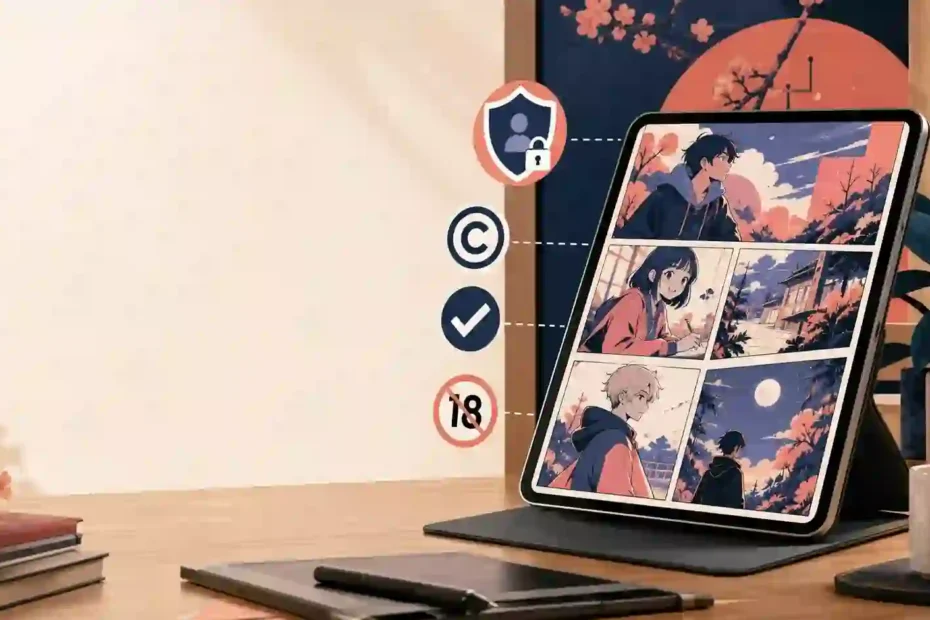
Searching for doujin moe can lead to ambiguous pages, unsafe downloads, copied artwork, or material that should never be shared. A quick click does not tell you who runs a site, what it collects, or whether a file is lawful. This guide gives fans and publishers a clear route: understand the term, verify sources, protect privacy, and keep adult content separate from anything involving minors.
What does doujin moe mean?
The short answer is that doujin moe is an ambiguous online phrase, not one universally defined product or publisher. “Doujin” commonly describes self-published or fan-created work, while “moe” is a Japanese media term linked to strong affection for fictional characters. Together, the phrase may point to a tag, archive, app, search shortcut, or website name.
That uncertainty matters. A page using the same phrase may host lawful fan art, translated comics, discussion posts, pirated files, explicit material, malicious advertising, or a mixture of all five. Readers should judge the specific page, creator, and file rather than assume that every result belongs to the same entity.
For publishers, the safest definition is practical: use the phrase when explaining a search category, then state exactly what the page covers. A clear scope helps visitors understand whether they are reading about fandom culture, digital publishing, copyright, privacy, or adult-site safety.
Why do search results for doujin moe vary so widely?
Search intent changes from person to person. One visitor may want a definition, another may be looking for a creator, and a third may be trying to find an app or download. A useful pillar page answers those different needs without turning every related query into a promise of access.
A safe intent map includes these groups:
- Definition intent: What the phrase means and how it is used.
- Navigation intent: Whether a named site, creator, or app is genuine.
- Fandom intent: How self-published works relate to franchises, character tags, and fan communities.
- Safety intent: How to avoid malware, tracking, deceptive buttons, and unsafe redirects.
- Legal intent: How copyright, licensing, attribution, and takedown rules affect fan work.
- Adult-content intent: How to keep age-restricted material separate, labeled, moderated, and inaccessible to minors.
A good page answers the question above the fold, then adds useful supporting detail. It does not repeat a keyword in every heading or list sensational terms simply to attract clicks. Google’s people-first guidance says content should exist to help readers, not primarily to manipulate rankings or simulate expertise.
How can a reader evaluate a doujin moe website?
Start with the publisher, not the download button. A trustworthy page identifies its owner, contact route, terms of use, privacy policy, moderation rules, and complaint process. It also distinguishes original work from licensed work, fan work, translated work, and user uploads.
Before creating a file or account, use this brief review:
- Check the domain. Look for misspellings, sudden redirects, excessive pop-ups, or a domain that imitates a known brand.
- Find the operator. A real company, creator, or community should offer a clear identity and a way to report abuse.
- Read the privacy policy. It should explain data collection, cookies, advertising partners, retention, and account deletion.
- Inspect the page language. Broken claims, urgent warnings, fake virus alerts, and impossible promises signal risk.
- Review the file type. A comic or image should not require an unknown executable, browser extension, or “special player.”
- Verify the creator. Compare the work with the creator’s official profile or authorized storefront when available.
- Leave when consent is unclear. Do not save, share, or repost material with uncertain age, ownership, or permission.
A well-designed website does not guaranty its security. An unattractive page may still host a legitimate artist, while a professional-looking mirror may distribute stolen files or harmful software. Evidence beats appearance.
Which trust signals support E-E-A-T?
E-E-A-T stands for experience, expertise, authoritativeness, and trust. It is not a score that a publisher can purchase or add through a plugin. A page earns stronger trust when it shows who wrote it, how claims were checked, why the author understands the topic, and how readers can correct mistakes.
For a responsible pillar page, add these signals:
- A named author with a relevant biography, not a generic “admin” label.
- A named fact-checker or editorial reviewer for legal, privacy, and safety claims.
- A visible publication and update date.
- Direct links to primary guidance rather than a long list of copied summaries.
- A correction policy and an abuse-reporting contact.
- Clear separation between editorial advice, advertising, affiliate links, and user submissions.
- A statement that the page does not verify or endorse every third-party website.
- A short explanation of how the site handles copyright complaints and harmful uploads.
Experience should appear in concrete details. For example, an editor may explain that they tested a page without downloading a file, checked its privacy controls, and confirmed whether its contact route worked. Do not invent personal testing, legal credentials, or partnerships that do not exist.
How should users protect privacy on adult-oriented pages?
Privacy starts before the page loads. Use an updated browser, enable tracking protection, avoid reusing passwords, and keep payment details off sites that do not clearly identify the merchant. Do not install a “viewer,” “codec,” extension, or mobile package simply because a page claims it is required.
A practical privacy checklist includes:
- Use a separate email address for optional accounts.
- Use a password manager to generate a distinctive password.
- Turn on multi-factor authentication when the service supports it.
- Review browser permissions for notifications, camera, microphone, and location.
- Decline unnecessary push notifications and calendar access.
- Do not upload identity documents unless a legitimate provider explains why it needs them and how it protects them.
- Avoid saving sensitive files in shared folders or unmanaged cloud accounts.
- Delete unused accounts and request data removal where the policy allows it.
- Check bank or card statements after any paid transaction.
A person cannot become anonymous by using private browsing. It mainly reduces local browser history. Websites, advertising networks, internet providers, payment processors, and device identifiers may still collect information under their own policies. Readers should treat a privacy policy as a business promise to inspect, not as proof that every practice is harmless.
What does copyright mean for fan-created work?
A fan-created comic, illustration, translation, video, or app can contain more than one rights layer. The new artwork may belong to its creator, while the underlying characters, logos, names, music, or story elements may belong to another rights holder. A platform also may have separate rules for hosting, selling, translating, or promoting that work.
WIPO explains that original works published online are generally protected by copyright or related rights, and users usually need permission unless a license, public-domain status, or legal exception applies. 1 That principle applies to text, images, video, software, and mobile apps.
Before publishing or reposting a fan work, ask:
- Who created the file?
- What license covers it?
- Does the license allow commercial use, translation, or modification?
- Does the platform permit the upload?
- Does the work include someone else’s characters, music, logo, or photograph?
- Can the creator request attribution, removal, or a link back?
- Does local law change the result?
Do not assume that a work is free because it appears in a search result. Do not remove a watermark, bypass digital rights management, or rehost a file after a creator has asked for removal. When rights are unclear, use a licensed source or create original material instead.
How should publishers handle age gates and explicit pages?
Adult content requires more than a warning label. A responsible publisher must prevent access by minors, moderate user uploads, remove illegal material, and avoid mixing explicit pages with general-audience resources. The site also needs a clear process for handling non-consensual imagery, impersonation, intimate images shared without permission, and any material involving minors.
Google’s official explicit-content guidance recommends separating explicit pages from non-explicit content, labeling relevant pages, preventing harmful user-generated content, and allowing Googlebot to crawl without an age gate that blocks the whole site. It also notes that explicit pages may not qualify for some search features.
For an editorial pillar page, keep the language non-graphic and focus on safety. Do not place explicit thumbnails, autoplay media, sexual descriptions, or links to unverified galleries on the page. Do not frame youthful characters or ambiguous ages as adult content. If age, consent, ownership, or legality is uncertain, exclude the material and report it through the proper channel.
A publisher should also document its moderation process:
- Require an uploader to confirm ownership or permission.
- Screen files and descriptions before publication.
- Provide a visible report button on every user-submitted page.
- Remove suspected illegal or non-consensual material quickly while preserving only the records needed for a lawful investigation.
- Block repeat offenders and abusive accounts.
- Escalate credible child-safety concerns to the relevant authorities or specialist reporting service.
- Record decisions so moderators apply the same rules consistently.
What related entities should a topical map include?
An entity is a recognizable person, creator, publisher, franchise, app, platform, concept, or place. Search engines use relationships between entities to understand a page, but a list of names is not a topical map. The page must explain how each entity relates to the reader’s question.
For this topic, a helpful topical map might consist of:
- Core concept: doujin culture, self-publishing, fan works, character-focused media, and search intent.
- Creator entities: artists, translators, circle names, publishers, and official storefronts.
- Content entities: comics, illustrations, digital books, apps, archives, tags, and review pages.
- Rights entities: copyright owners, licenses, takedown notices, attribution, and public-domain works.
- Safety entities: age verification, consent, moderation, malware, phishing, privacy, and reporting.
- Platform entities: search engines, app stores, payment providers, social platforms, and community forums.
- Franchise entities: named series or characters, discussed only in a factual, non-explicit way and never used to sexualize minors.
- Geographic entities: country-specific laws, language, payment rules, and content-access requirements.
The strongest supporting pages answer one narrow question each. “How to check a fan-art license” is one example. “How to identify a phony mobile app,” “How to report a copied upload,” and “How to distinguish adult pages from general-audience content.” Use informative anchor text to connect those pages back to the pillar page.
What should a safe doujin moe app or download page explain?
An app page should answer basic questions before asking a visitor to install anything. State the developer’s legal name or verified profile, supported operating systems, version history, permissions, data practices, customer support, and uninstall method. A screenshot alone is not proof of legitimacy.
Before installing, readers should:
- Use an official app store or the developer’s verified website.
- Check the publisher name, review history, and recent update date.
- Compare requested permissions with the app’s purpose.
- Avoid packages sent through pop-ups, shortened links, or unsolicited messages.
- Scan files with current security tools, while remembering that no scanner catches every threat.
- Reject “cracked,” “premium unlocked,” or “no verification” packages.
- Keep the operating system and browser updated.
- Remove the app if it displays unexpected ads, changes search settings, or requests unrelated access.
A publisher should never tell readers to disable security tools or bypass an app store warning. That advice creates risk and undermines trust. If an app includes adult content, the publisher must also explain age controls, moderation, data collection, and removal procedures before installation.
How can fans participate in the community responsibly?
Participation can support creators without spreading harmful material. Buy from an authorized storefront when possible, credit the creator, link to the official page, and ask permission before translating, editing, archiving, or reposting a work. Follow community rules even when a platform does not enforce them well.
Good community behavior includes:
- Respecting a creator’s no-repost or no-translation request.
- Using content warnings without revealing graphic details.
- Avoiding doxxing, harassment, brigading, and impersonation.
- Reporting stolen work instead of reposting it as evidence.
- Refusing to share content when a person’s age or consent is unclear.
- Keeping adult discussions in properly restricted spaces.
- Separating criticism of a work from attacks on its creator.
- Supporting official releases when they exist.
Fans also can help improve search quality. When a result appears misleading, report the page to the platform, contact the rights holder, and record only the information needed to support the complaint. Do not download suspicious files or circulate illegal material to prove that it exists.
What should a complete pillar page include?
A central resource should do more than define a term. It should guide the next decision a reader needs to make. Use the following content plan when building or auditing the page:
| Section | Reader question | Evidence or action |
|---|---|---|
| Definition | What does the phrase describe? | Give a plain-language definition and state its ambiguity. |
| Search intent | Why do results differ? | Group informational, navigational, fandom, safety, legal, and adult intent. |
| Verification | Can I trust this site? | Provide a publisher, contact, privacy, licensing, and file-safety checklist. |
| Privacy | What data might I expose? | Explain accounts, permissions, tracking, passwords, and payment caution. |
| Copyright | Can I repost or translate it? | Ask who owns the work and what license applies. |
| Age safety | Is the page suitable for everyone? | Separate adult content, enforce age controls, and reject uncertain material. |
| App safety | Is the download genuine? | Recommend official stores, verified developers, updates, and permission checks. |
| Topical map | What related topics matter? | Connect creators, rights, platforms, privacy, moderation, and fandom entities. |
| FAQs | What are the fastest answers? | Give direct responses without sensational claims. |
| Action | What should I do next? | Verify the source, protect privacy, support creators, or report risk. |
This structure makes the page useful to people and understandable to search systems. It also gives editors a clear boundary: add depth through evidence and practical help, not through repetitive keyword variations.
How can a publisher improve the page after launch?
Measure satisfaction, not just traffic. Search Console impressions can show whether a page appears for relevant queries, but they cannot prove that the visitor found the answer useful. Review clicks, engaged reading, reports, broken links, user questions, and corrections together.
Use a monthly review cycle:
- Check whether the title and description promise what the page delivers.
- Test every internal and external link.
- Confirm that the author, review date, and policies remain accurate.
- Remove dead app links, copied images, and unverified claims.
- Review user reports for privacy, copyright, and safety issues.
- Update jurisdictional notes with a qualified local reviewer when needed.
- Compare new queries with the page’s actual scope.
- Merge thin related pages instead of publishing near-duplicates.
- Add a short answer when readers repeatedly ask the same question.
- Keep a change log for meaningful updates.
Do not rewrite a useful page merely to force the focus phrase into a target count. Search behavior changes, but reader needs remain the priority: clarity, safety, accurate sourcing, and respect for creators.
Frequently asked questions
Is doujin moe one official website?
Not necessarily. The phrase may describe a search category, tag, app, archive, or site name, so verify the exact domain, operator, policies, and creator relationships before trusting a result.
Is doujin moe safe for every reader?
No. Results can include adult material, deceptive ads, copyrighted uploads, or unsafe files. Use age-appropriate settings, avoid unknown downloads, and leave pages where age, consent, or ownership is unclear.
Can I repost a doujin moe fan work?
Only when you have permission, a suitable license, or a clear legal exception. Online availability does not remove copyright, and fan work may include separate rights belonging to a franchise owner.
Should I install a doujin moe app from a pop-up?
No. Use an official app store or a developer page you can verify. Check the publisher, permissions, update history, privacy policy, and reviews, and never disable security warnings to complete an install.
How should a site handle adult search terms?
It should separate explicit pages from general content, apply age controls, moderate uploads, reject material involving minors or non-consensual imagery, publish clear policies, and provide a working report process.
Can SEO guarantee a first-page ranking for doujin moe?
No. No honest publisher can promise a specific ranking, a 100 percent penalty-free result, or a guaranteed AI Overview placement. Useful content, technical quality, original reporting, accurate sources, and reader trust improve the opportunity but cannot control Google’s results.
Take action with a safer publishing standard
The best response to an ambiguous search term is not the loudest page. It is the clearest one. Define the subject, show the limits, protect readers from unsafe files, respect creator rights, and keep age-restricted material away from general-audience content.
Before publishing, run the page through five final checks:
- Useful: Does it answer the reader’s main question in plain language?
- Original: Does it add firsthand checks, editorial judgment, or a clear framework instead of copying search results?
- Trustworthy: Does it name the author, show sources, and explain limitations?
- Safe: Does it block harmful, illegal, non-consensual, and underage material?
- Actionable: Can a reader verify a site, protect privacy, support a creator, or report a problem?
That standard creates a stronger resource than keyword repetition ever could. A careful page may attract fewer impulsive clicks, but it gives serious readers a reason to stay, return, and share it with confidence.